
Avera MyChart
Avera Mobile AppsMedical
4.243.00 Reviews
- Version
- 11.7.3
- Installs
- 10.00K
- Age Rating
- Everyone
Screenshots
Our Review of Avera MyChart
 Analysis by Appyee
When I use Avera MyChart, I think of it less as a general wellness app and more as a secure doorway into my existing Avera care. Its most useful capability is the way it brings medical-record access and health-insurance information into one mobile place. That sounds simple, but it changes the small moments between appointments: checking what was documented, finding information I need for a conversation with a clinician, or reviewing coverage details without searching through paper documents.
This is a free medical app from Avera Mobile Apps, rated for Everyone and available for devices running iOS or Android 11 and later. It has reached over ten thousand installs, with a 4.2 average from ratings and more than forty written reviews. Those figures suggest a modest but active user base rather than a huge social platform, which feels appropriate for an app designed around personal healthcare access.
Why the combined record and insurance access matters
The strongest idea here is not simply “health information on a phone.” It is the combination of two kinds of information that people often manage separately. Medical records help me understand my care history, while insurance information helps me understand the practical side of receiving that care. Keeping both available through the same Avera-focused app can reduce the back-and-forth that usually happens when I move from a clinical question to a billing or coverage question.
That distinction matters because healthcare tasks rarely arrive one at a time. I might be preparing for an appointment and want to remember what happened during a previous visit. A moment later, I may need insurance information while arranging the next step. With a conventional approach, I could end up switching between a patient portal, an insurer’s website, email, and stored documents. Avera MyChart gives the experience a more focused starting point for people already connected to Avera.
The real benefit is continuity: the app keeps the patient-facing side of Avera care close at hand instead of making every question begin with a separate search. It does not replace a clinician, and I would not treat it as an emergency tool. Its value is in making routine access less scattered.
What I would use it for first
My first use would be preparation rather than browsing. Before an appointment, I would open the app to refresh my memory about earlier care and identify questions worth asking. That is a better use of a medical-record app than casually checking it without a purpose. The record becomes a prompt for a more organized conversation, especially when several visits or health concerns have blurred together.
I would also use the insurance side when planning care rather than waiting until a problem appears. Having the information available while I am thinking about an appointment gives me a chance to check the relevant details before making assumptions. This is one of the less obvious strengths of the combined design: insurance information is more useful before a healthcare decision than after an unexpected administrative issue.
How the experience works in everyday practice
The app’s role is straightforward. I open it when I need secure online access to my Avera medical records or health-insurance information, then use the relevant information as part of a larger task. The important workflow is not simply opening a screen and reading. It is moving from information to action: preparing for a visit, explaining a previous issue, organizing questions, or checking the practical details connected with care.
For that reason, I would keep my expectations realistic. A patient portal is most helpful when I already know what I am trying to find. If I open it with a vague feeling that I should “check my health,” it may feel less immediately useful than a fitness tracker or symptom journal. Avera MyChart is centered on access to Avera-related information, not on turning everyday activity into a stream of wellness metrics.
A useful habit is to review information before a scheduled interaction, not while sitting in the middle of it. I can note the dates, terms, or questions that matter and then focus on the conversation itself. This also reduces the temptation to interpret a record entry in isolation. Medical information can be easy to misunderstand without context, so I see the app as a preparation and reference tool, not a substitute for professional explanation.
A realistic appointment-day workflow
Imagine that I have an appointment coming up after several months of treatment. The night before, I open Avera MyChart and review the information I need to remember. I write down questions separately, including anything that seems unclear or incomplete. I then check the insurance information that may be relevant to the next stage of care. At the appointment, I am not relying on a half-remembered conversation or a stack of documents; I have already organized the points I want to raise.
Afterward, the app can serve as a reference point when I want to revisit what was recorded. The advantage is not that the phone suddenly makes healthcare effortless. The advantage is that the information is available at the moment I need to prepare or follow up. That small reduction in friction can be meaningful for people who manage recurring care, multiple appointments, or questions that are easy to forget.
I would still use ordinary caution with privacy. A phone containing medical information should be protected with the device’s own security measures, and I would avoid leaving it open where another person could read the screen. The app’s secure-access purpose is important, but good personal device habits remain part of using any health portal responsibly.
The best situation for using it
Avera MyChart makes the most sense for someone who already receives care through Avera and wants a convenient mobile route to their Avera-related records and insurance information. The closer my healthcare relationship is to Avera, the more naturally the app fits into my routine. It is especially useful when I want one recognizable place to begin rather than collecting details from unrelated services.
The best scenario is ongoing care rather than a one-time medical question. A person managing follow-up visits, reviewing past information before appointments, or coordinating the administrative side of care can benefit more than someone who rarely interacts with the healthcare system. In those situations, the app’s value accumulates through repeated small uses.
It can also help a family member who assists another adult with healthcare organization, provided that person is using the app appropriately and has legitimate access. I would not assume that having the app automatically grants permission to view someone else’s information. The responsible approach is to use only the access arrangements that Avera and the patient have established, rather than sharing a personal login casually.
Another good use is the “question catcher” workflow. When I remember something between appointments, I can treat the app as the place to revisit the relevant record later, while keeping the actual question clear and separate in my notes. This prevents a common mistake: confusing access to a recorded event with an answer to what I am currently experiencing. The record provides context; the clinician provides interpretation.
Where it is less suitable
I would skip this app if I am looking for a broad symptom checker, medication reminder, exercise tracker, or general health education platform. Those tools have different goals. Avera MyChart is valuable because it connects me to Avera information, not because it tries to cover every kind of health activity.
I would also avoid depending on it during an urgent or dangerous situation. A record-access app is not a replacement for emergency services or immediate medical attention. If a problem requires fast help, opening a portal is the wrong priority. The app belongs in the routine-care and information-management part of my healthcare toolkit.
People who receive care across many unrelated health systems may find the experience less central to their lives. If my records and insurance details are spread across providers that do not use the same patient environment, I may still need other portals and documents. Avera MyChart can be a strong Avera access point without being a universal container for every healthcare relationship.
Tradeoffs I noticed when comparing the usual alternatives
The most obvious alternative is using a mobile browser to visit healthcare websites. A browser can be flexible, especially when I need to move between several organizations, but it often feels more like administrative research. A dedicated app gives Avera information a clearer place on the phone and makes it easier to return to the same healthcare context. The tradeoff is that I am adding another app to manage, update, and protect.
Another alternative is relying on printed paperwork or saved files. Those can be useful backups, but they are easy to misplace and may not reflect the information I most recently need. A mobile portal is more convenient for checking information in the moment. On the other hand, convenience can encourage quick reading without careful interpretation, so I would not replace thoughtful record-keeping or questions for a clinician with a few taps.
There is also a difference between this kind of portal and a personal health notebook. A notebook can contain symptoms, observations, and questions in my own words, while Avera MyChart gives me access to Avera’s side of the healthcare record and insurance information. I see them as complementary. The app helps me review the established information; my notes preserve what I noticed at home and what I want to discuss.
The combined focus is helpful, but it may not eliminate every administrative step. Healthcare information can involve different departments, terminology, and timing. I may still need to ask a staff member to explain a detail or confirm what it means for my situation. That is not a failure of the app; it is a reminder that a portal displays information within a healthcare process rather than replacing the process itself.
Small habits that make the app more useful
- Open it before an appointment: use the record as a memory aid, then prepare a short list of questions instead of trying to solve everything from the screen.
- Check insurance information while planning: reviewing it before arranging care is more useful than waiting until an administrative surprise appears.
- Separate facts from interpretation: treat a record entry as context and ask a qualified professional when the meaning is unclear.
- Keep a personal backup of important questions: the app is an access point, while a simple note can help me remember what I wanted to discuss.
- Protect the phone itself: device security and careful account habits are essential when medical information is accessible from a mobile screen.
These habits reveal an important tradeoff. The app can reduce friction, but it cannot decide what information matters to me. The more clearly I approach a task, the more useful the portal becomes. If I expect it to organize my entire health life automatically, I may be disappointed. If I use it as a focused Avera reference, it is easier to appreciate what it does well.
Who gains the most from this Avera-focused access
I would recommend Avera MyChart most strongly to Avera patients who want a mobile way to stay oriented between appointments. The free price removes an obvious barrier, and the Everyone age rating makes it approachable for a wide range of users. The current version is 11.7.3, and the app was released on May 12, 2026, so anyone considering it should make sure their device meets the stated operating-system requirement of iOS or Android 11 and later.
The app is also a good fit for people who dislike carrying paperwork or repeatedly searching for insurance details. Its usefulness is practical rather than flashy. I would not install it expecting entertainment, personalized fitness coaching, or a large community. I would install it because I want my Avera healthcare information available in a more direct, repeatable way.
The rating of 4.2 shows that the general experience has been received positively, while the number of ratings remains relatively small compared with major consumer apps. I would read that as a reason to judge the app by my own healthcare needs rather than treating the score as a guarantee. A patient deeply connected to Avera may find it valuable even if someone outside that system has little reason to use it.
My final view is favorable, with a clear boundary around the recommendation. Avera MyChart is not a complete health-management system and should not be treated as urgent medical support. Its strength is narrower and more useful: it gives Avera patients a secure, convenient place to reach medical-record and insurance information when preparing, following up, or making routine care decisions. If that is the problem I am trying to solve, I would choose it over scattered documents and repeated browser searches. If I need a broader health tracker or access across many unrelated providers, I would look for a different tool alongside it.
Verdict
Strengths of Avera MyChart
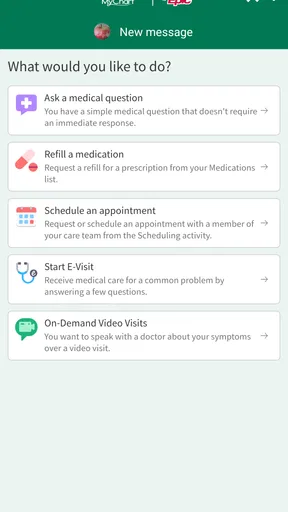
- Secure access to appointments, test results, medications, and health records.
- Message your care team without needing to call the clinic.
- Prescription refill requests can be submitted directly in the app.
- Supports proxy access for managing eligible family members’ care.
- Useful notifications can help you remember appointments and updates.
Limitations of Avera MyChart
- Some features may be unavailable if your provider has not enabled them.
- Activation may require an Avera account and identity verification.
- Medical results can be difficult to interpret without professional guidance.
- The app’s usefulness is limited for patients outside the Avera network.
- Certain actions may redirect you to a browser instead of staying in-app.
Similar Picks in This Category
View All
WebMD: Symptom Checker
WebMD, LLC4.1

Microphone Amplifier
DOSA Apps4.2

Anatomy Learning - 3D Anatomy
3D Medical OU4.5

Period Tracker and Calendar
SimpleInnovation4.9

GoodRx: Prescription Coupons
GoodRx4.8

CVS Health
CVS Pharmacy4.5
Frequently Asked Questions
What is Avera MyChart, and what can I use it for?
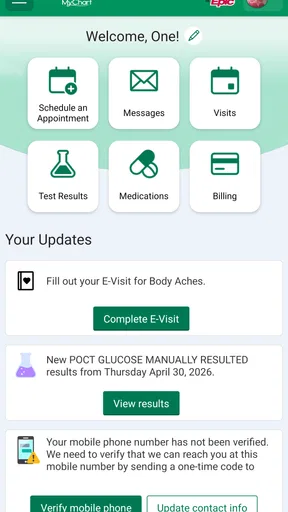
Avera MyChart is Avera Health’s patient portal app for managing healthcare from an Android or iOS device. After signing in, users can review parts of their medical record, view test results, request or manage appointments, communicate with participating care teams, check medications, and access billing information. Available features can vary depending on the Avera facility, provider, and type of care received.
How do I sign up for or access an Avera MyChart account?
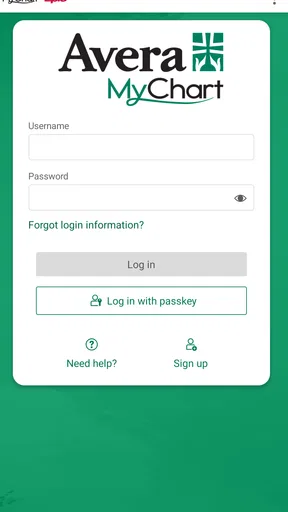
To use Avera MyChart, you generally need to be an Avera patient and create an account using activation information provided by Avera, an activation code, or the app’s enrollment options. Existing users can sign in with their MyChart credentials. The app may also support secure sign-in methods such as fingerprint or Face ID. If you cannot access your account, use the official recovery tools or contact Avera support.
Can I schedule appointments and communicate with my doctor through the app?
Avera MyChart can make appointment management more convenient, but scheduling options depend on the provider and appointment type. In supported cases, you may request or schedule visits, review upcoming appointments, and receive reminders. The secure messaging feature may allow communication with a care team for non-urgent questions. Messages are not intended for emergencies, and replies may not be immediate.
Does Avera MyChart show test results, medications, and medical records?
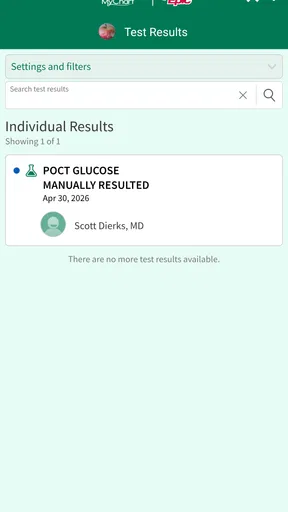
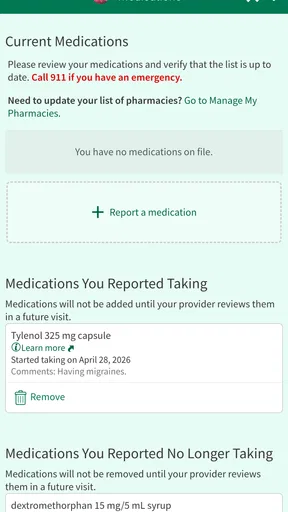
The app can provide access to portions of your electronic health record, including laboratory results, visit summaries, medications, allergies, immunizations, and other clinical information when available through Avera’s system. Some results may appear only after processing or review, and the timing can differ by test. Information may also be incomplete if care was received outside participating Avera locations.
Is Avera MyChart secure, and is it free to download?
Avera MyChart is generally free to download, although normal mobile data charges may apply. It is designed to protect health information through account authentication and encrypted communication, but users should still protect their phone, use a strong password, enable device security, and avoid signing in on shared devices. The app should not replace emergency services; call emergency services for urgent or life-threatening situations.
